|
Pixologic ZBrush 4R6: A Comprehensive Guide
|
|


|
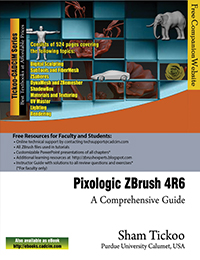
Pixologic ZBrush 4R6: A Comprehensive Guide textbook covers all features of ZBrush 4R6 in a simple, lucid, and comprehensive manner. It gives in-depth details of the concepts and explains the usage and functions of the most commonly used tools of ZBrush. In this addition, a new feature, ZRemesher, is added which is an automatic retopology tool to recreate a new polygonal mesh with a controlled flow of polygonal structure for a model. This textbook will unleash your creativity and transform your imagination into reality, thus helping you create realistic 3D models. This textbook caters to the needs of both the novice and advanced users of ZBrush 4R6 and is ideally suited for learning at your convenience and at your pace. Following are the additional
features of this book:
Brief Table of Contents Chapter 1: Exploring ZBrush Interface Chapter 2: Sculpting Brushes Chapter 3: Introduction to Digital Sculpting Chapter 4: SubTools and FiberMesh Chapter 5: ZSpheres Chapter 6: DynaMesh and ZRemesher Chapter 7: ShadowBox Chapter 8: Materials in ZBrush Chapter 9: Texturing in ZBrush Chapter 10: UV Master Chapter 11: Lighting Chapter 12: Rendering Project 1: Cartoon Character Modeling Index |
|
|
|
|
Evaluation Chapters of Pixologic ZBrush 4R6: A Comprehensive Guidetextbook (zipped pdf files) |
|
c01_ZBrush_4R6_eval.zip
c02_ZBrush_4R6_eval.zip |
 |
Part files (zipped PDF file) |
c02_ZBrush_4R6_prt.zip
c03_ZBrush_4R6_prt.zip c04_ZBrush_4R6_prt.zip c05_ZBrush_4R6_prt.zip c06_ZBrush_4R6_prt.zip c07_ZBrush_4R6_prt.zip c08_ZBrush_4R6_prt.zip c09_ZBrush_4R6_prt.zip c10_ZBrush_4R6_prt.zip c11_ZBrush_4R6_prt.zip c12_ZBrush_4R6_prt.zip Project.zip |
|
|
|
Free Technical Support |
|
|
|
|
Tutorials (zipped tutorials files) |
c03_ZBrush_4R6_tut.zip
c04_ZBrush_4R6_tut.zip c05_ZBrush_4R6_tut.zip c06_ZBrush_4R6_tut.zip c07_ZBrush_4R6_tut.zip c10_ZBrush_4R6_tut.zip c11_ZBrush_4R6_tut.zip |
|
|
|
Rendered Images (zipped files) |
Zbrush_4R6_color_images.zip | |
|
|
|
|
|
If you find any problems in downloading the files or the contents, please contact us at techsupport@cadcim.com. Thank you. |