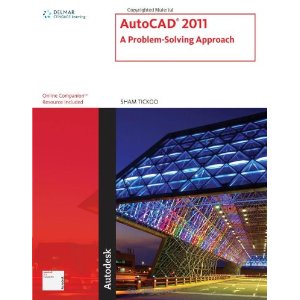
| AutoCAD 2011: A Problem Solving
Approach Sham Tickoo, Purdue University Calumet ISBN 13: 978-1111127725 ISBN 10: 1111127727 Paperback 1392 Pages |
New Material Added |
|
| AutoCAD 2011: A Problem Solving
Approach Sham Tickoo, Purdue University Calumet ISBN 13: 978-1111127725 ISBN 10: 1111127727 Paperback 1392 Pages |
New Material Added |
|
|
This book contains a detailed
explanation of AutoCAD 2011 commands and how to use them in solving
drafting and design problems. Every AutoCAD command is thoroughly
explained with examples and illustrations that make it easy to understand
their function and application. At the end of each topic, there are
examples that illustrate the function of the command and how it can be
used in the drawing. After reading this textbook, you will be able
to use AutoCAD commands to make
a drawing, create text, create and insert symbols, dimension a drawing,
apply constraints to sketches, create blocks and dynamic blocks, create
3D objects, mesh objects and solid models, and render a scene. promote efficient use of the software while strengthening your problem-solving skills. . One new chapter added on surface modeling. � Usage of commands and shortcuts to increase efficiency of the users.
�
Additional information is
provided to the users in the form of Tips and Notes..
AutoCAD 2011
for engineers, architects, drafters, and designers.
|
 |
Evaluation Chapters of AutoCAD 2011: A Problem Solving Approach
textbook (zipped pdf files) (These files have been posted for evaluation only) |
contents-acad-2011-pdf
c01-acad-2011-eval-pdf c15-acad-2011-eval-pdf c20-acad-2011-eval-pdf c26-acad-2011-eval-pdf | |
|
|
Free Software Download | If you are a student and have a school-issued email address from a college or university, you can click on the following link and download the software for free: | |
|
|
AutoCAD Files (.zipped files) Drawing files used in Examples |
c02-acad-2011-dwg,
c03-acad-2011-dwg,
c04-acad-2011-dwg,
c06-acad-2011-dwg, c07-acad-2011-dwg, c08-acad-2011-dwg, c09-acad-2011-dwg, c10-acad-2011-dwg, c11-acad-2011-dwg, c12-acad-2011-dwg, c13-acad-2011-dwg, c15-acad-2011-dwg, c16-acad-2011-dwg, c17-acad-2011-dwg, c18-acad-2011-dwg, c20-acad-2011-dwg, c22-acad-2011-dwg, c23-acad-2011-dwg, c24-acad-2011-dwg, c25-acad-2011-dwg, c26-acad-2011-dwg, c27-acad-2011-dwg, c28-acad-2011-dwg, c29-acad-2011-dwg, c30-acad-2011-dwg, c31-acad-2011-dwg, c32-acad-2011-dwg, c34-acad-2011-dwg, c35-acad-2011-dwg, |
|
|
|
Free Technical Support | For free technical support, please email to techsupport@cadcim.com | |
|
|
Student Projects (.dwg files) The project consists of detail and assembly drawings with BOM. The project also contains solid model, both assembled and exploded |
student-proj-acad-2011.zip | |
|
|
Tips and Notes (MS Word 2000
file) These tips and notes are in addition to those given in the AutoCAD 2011: A Problem Solving Approach textbook |
tips-and-notes-acad-2011.zip | |
|
|
Related Links For more information on AutoCAD 2011 and other products of Autodesk, visit these links. |
http://www.autodeskpress.com/, http://www.autodesk.com/ | |
|
|
Drawings
for Practice of AutoCAD on Internet |
Figure 1, Figure 2, Figure 3 |